


Picture this. You wake up, grab your coffee, and check your analytics. Boom 💥 — numbers are flying. Your site is getting hammered. A sudden spike in website traffic sounds like a dream… until your pages slow down, forms stop loading, or worse — your site crashes. I’ve seen it happen more times than I can count. Traffic surges don’t have to end in disaster. With the right traffic management strategy, your website can handle the heat and keep converting visitors into customers.
Let’s break it all down — simply, clearly, and without the tech jargon headache.
What Is a Sudden Spike in Website Traffic?
A sudden spike in website traffic happens when your site gets far more visitors than usual in a short time.
This can come from:
- A viral post on social media
- A search engine ranking jump
- A product launch
- A marketing campaign
- A news mention
- Seasonal demand
In short, your digital parking lot fills up faster than expected.
If your hosting and control system aren’t ready, that traffic surge can turn into a web traffic spike website crash.
How Do Traffic Spikes Work? (Think Puncture the Tire)
Think of traffic like air pressure.
A slow increase? Fine. A sharp hit? Puncture the tire. That’s how traffic spikes work. Your server suddenly receives more requests than it can process. CPU maxes out. Memory runs dry. Pages stall. Visitors bounce.
Without proper handling of sudden traffic spikes, your site collapses under pressure.
Why Websites Crash During a Traffic Surge?
Let’s keep this real. Websites crash because they’re not built to scale.
Here are the usual suspects:
- Limited resources on shared hosting
- No auto scaling
- No load balancing
- Poor traffic control
- No real-time monitoring tools
- Zero load testing before launch
If your website can’t handle peak demand, it doesn’t matter how good your content is.
How to Handle Traffic Spikes on Shared Hosting (Yes, It’s Possible)

Credit: rosehosting.com
Shared hosting gets a bad rap — but with smart planning, it can still work.
If you’re using shared hosting, your site shares resources with others. During a traffic spike, that becomes risky.
Here’s how I handle traffic spikes on shared hosting safely:
a) Optimize Everything First
b) Reduce unnecessary plugins
c) Use caching aggressively
d) Monitor usage in real time
If you’re starting out, check out IgnisHost’s reliable hosting plans here:
It’s a solid foundation before scaling up.
The Real Secret: Preparation Beats Panic

Credit: droptica.com
The biggest mistake? Waiting until traffic hits.
Smart site owners prepare for addressing sudden traffic spikes before they happen.
Here’s what actually works 👇
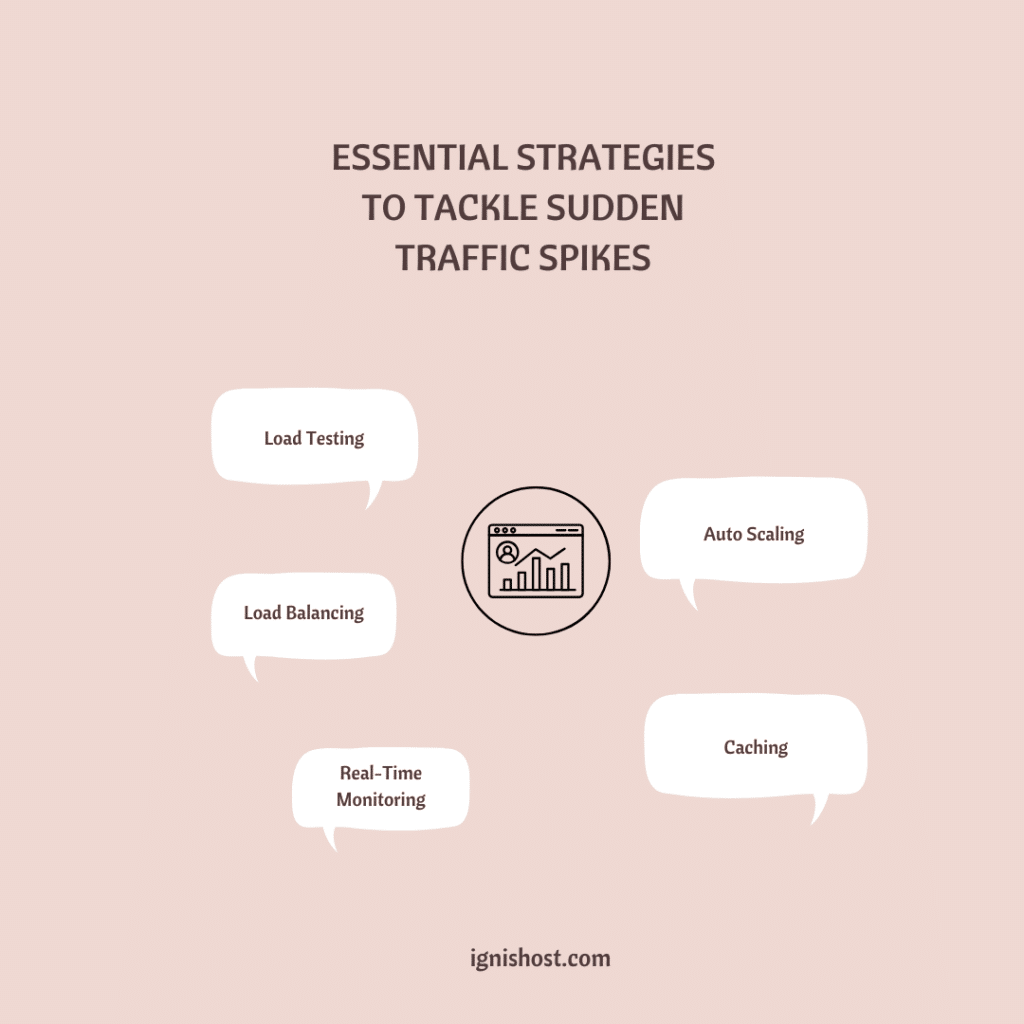
a) Load Testing: Stress Before Success
Load testing simulates traffic before real users arrive.
It shows:
- How much traffic your website can handle
- Where performance breaks
- Which pages slow down first
This is how you avoid guessing.
I always load test before campaigns. Always.
b) Monitoring Tools: Watch It in Real Time
You can’t control what you can’t see.
Use monitoring tools to track:
- CPU usage
- RAM usage
- Active users
- Server response time
Real-time data lets you react before a web traffic spike becomes a problem.
c) Auto Scaling: Let Your Site Breathe
Auto scaling is like adding lanes to a highway when traffic increases.
When traffic surges:
- Resources expand
- Requests distribute
- Performance stays stable
If your hosting provider lets you automatically scale, you’re already ahead of the game.
d) Load Balancing: Spread the Pressure
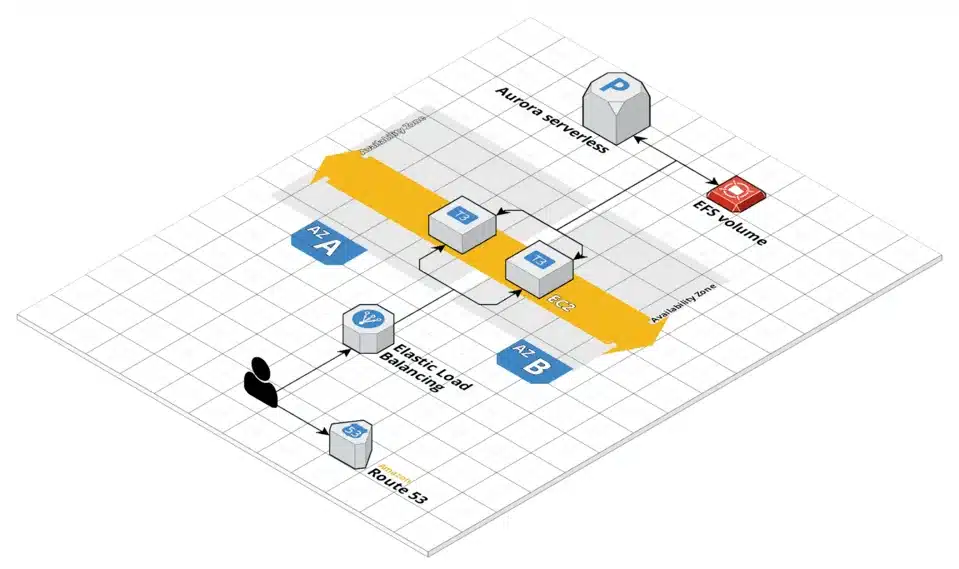
Load balancing distributes traffic across multiple servers. Instead of one server collapsing, the load spreads evenly.
- Think of it as traffic cops redirecting cars during rush hour.
- This single move prevents most traffic spike disasters.
Traffic Spike Management Using Smart Infrastructure
Credit: droptica.com
Effective traffic spike management isn’t about overpaying. It’s about balance.
Here’s a simple spike system approach I love:
- Speed bumps → rate limiting
- Spike strips → bot filtering
- Parking lots → queuing systems
- Control system → server rules
Each layer absorbs pressure so your site stays live.
Why Website Staging Is a Game Changer?
Before pushing changes live, I test everything in a staging environment.
A website staging environment lets you:
- Test updates safely
- Fix performance issues early
- Avoid breaking your live site
If you’re serious about handling sudden traffic spikes, this is non-negotiable.
Search Engine Traffic: The Silent Spike
Here’s the tricky part.
A search engine can send massive traffic without warning.
One ranking jump = instant web traffic spikes.
To stay ready:
- Optimize database queries
- Use server-level caching
- Monitor organic traffic daily
SEO success should never crash your site.
Handling Sudden Traffic Spikes Without Losing Sales

Credit: liquidweb.com
Traffic means nothing if your site goes down.
Here’s my go-to checklist when traffic surges fast:
a) Pause non-essential scripts
b) Enable aggressive caching
c) Monitor server health
d) Upgrade hosting plans if needed
e) Activate traffic control rules
Simple moves. Big impact.
Can Your Website Handle a Spike?
Ask yourself this honestly.
- Can your website handle 10x traffic today?
- Can it survive peak demand?
- Can it scale without downtime?
If not, now is the time to fix it.
Because a sudden spike in website traffic is an opportunity — not a threat.
The Bottom Line
Summing up, a sudden spike in website traffic isn’t something to fear. It’s proof that your marketing works. With the right hosting, smart planning, and real-time traffic management, your site won’t just survive — it’ll thrive. Prepare now. Scale smart. Stay fast.
And let the traffic roll in.
FAQ’s
Have questions? Let us answer them! Drop your thoughts below, and let’s chat.
What causes a sudden spike in website traffic?
Viral content, search engine rankings, ads, promotions, or media coverage usually cause it.
Can shared hosting handle traffic spikes?
Yes, with optimization, caching, and proper traffic spike management — but scaling helps.
How do traffic spikes work?
They overload server resources when too many users hit your site at once.
What is the best way to handle traffic surges?
Use load balancing, auto scaling, monitoring tools, and load testing.
Will traffic spikes crash my website?
Only if your infrastructure isn’t prepared to handle sudden traffic spikes.