
SIMPLE AND INTUITIVE
Professional WordPress Backup & Recovery
Centralized Backup Portal, Automated Daily & Weekly Backups, One-Click Restore
Protect your WordPress websites with automated backups, centralized management, one-click recovery, and secure offsite storage. Manage all backups from a single portal while Ignishost handles backup creation
FEATURES
Complete Backup Management for WordPress
Protect your website files and database with a fully managed backup system that combines automated scheduling, centralized monitoring, secure storage, and fast disaster recovery.
- Flexible Backup Scheduling
- Complete Data Protection
- Automated Backup Process
- High-Level Encryption
- Easy Recovery Options
- Off-Site Storage
Security Guaranteed
Features
We make your online presence a success
We offer a comprehensive range of services to fuel your online success.
Centralized Backup Portal
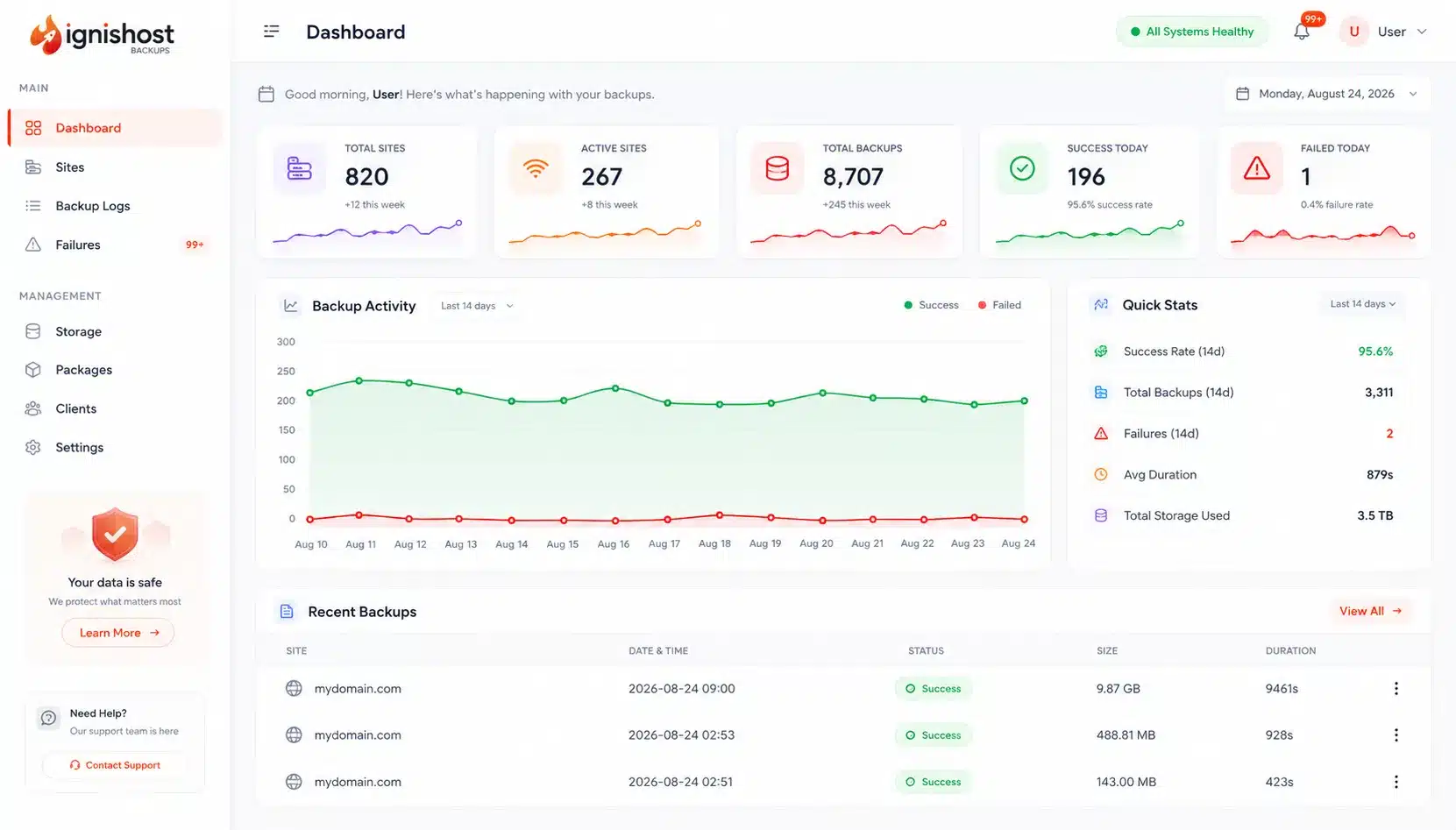
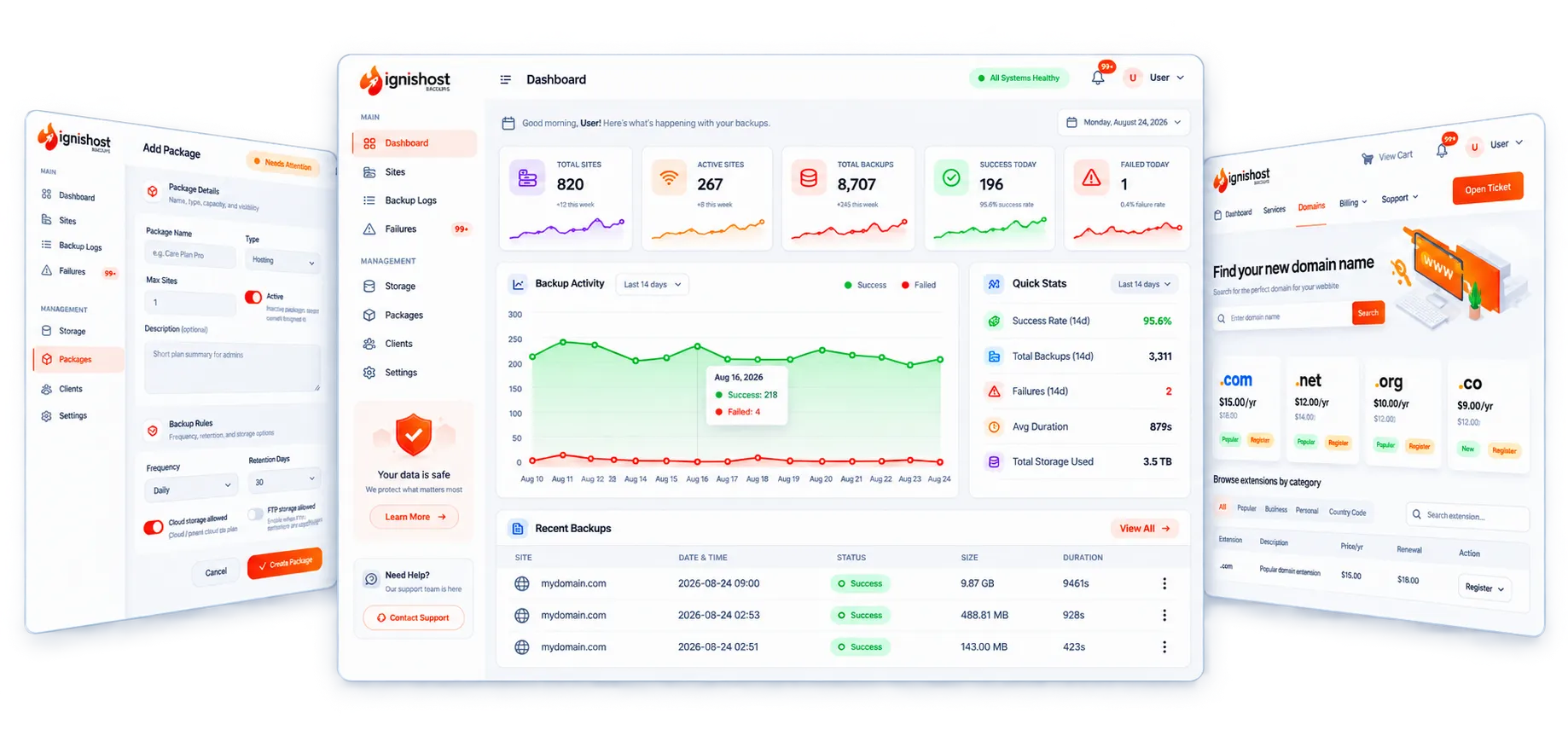
Manage all websites from one dashboard with backup history, storage usage, scheduling, and recovery tools.
WordPress Plugin Integration
Connect websites securely using pairing codes and API authentication.
Automated Backup Scheduling
Daily, weekly, or manual backups triggered directly from the central panel.
One-Click Restore
Restore files and databases directly from backup logs.
Multi-Layer Storage
Stores backups locally, on the backup portal and cloud
Backup Monitoring & Alerts
Receive notifications for failed backups and monitor backup health in real time.
How It Works
Backup Protection in 6 Simple Steps
From plugin installation to automatic recovery, everything is designed to work seamlessly.
Install Plugin
One-click install from WordPress repository.
Connect
Link your site via secure API connection.
Configure
Set your backup schedules and triggers.
Execute
Automated initial sync with cloud node.
Secure Storage
Redundant AES-256 cloud encryption.
Restore
Roll back with single click precision.
Backup Protection
Three-Layer Backup Protection
Your backups are protected across three levels for fast access, centralized management, and recovery flexibility.
Local Storage
Fast-access snapshot stored on your primary web server.
Cloud
Centralized backup storage and management for backup history, monitoring, downloads, and restoration.
FTP / Server Access
Backup files can be accessed through the hosting environment or FTP when direct server-level access is required.
Simple Pricing
Choose the Right Backup Plan for Your Website
Flexible backup protection designed for personal websites, business sites, agencies, and growing WordPress environments.
Spark
$25 Yearly
- 1 Site
- Monthly Backups
- Files + Database
- 12 Backups per Year
- 1 Backup Location
Blaze
$50 Yearly
- 1 Site
- Weekly Backups
- Files + Database
- 53 Backups per Year
- Restore on Demand
- 2 Backup Locations
Inferno
$75 Yearly
- 1 Site
- Daily Backups
- Files + Database
- 365 Backups per Year
- Restore on Demand
- 3 Backup Locations
Plan Comparison
Compare Backup Features Side by Side
See exactly what's included in each backup plan and choose the protection level that matches your needs.
Centralized Management Dashboard
Manage All Websites from One Place
Stop switching between multiple WordPress dashboards. Monitor backups, manage sites, review logs, and restore websites from a single centralized platform.
- Bulk backup operations for multiple sites simultaneously.
- Real-time status tracking and detailed success logs.
- Secure API management with zero-config connection.
- Automated error reporting and email notifications.
Centralized Management Dashboard
Manage All Websites from One Place
Stop switching between multiple WordPress dashboards. Monitor backups, manage sites, review logs, and restore websites from a single centralized platform.
- Bulk backup operations for multiple sites simultaneously.
- Real-time status tracking and detailed success logs.
- Secure API management with zero-config connection.
- Automated error reporting and email notifications.
Most Popular Questions
Frequently Asked Questions
Get answers about backup storage, recovery, scheduling, monitoring, and platform functionality.
The WordPress plugin creates backups and uploads them securely to the Ignishost Backup Portal.
No. The central backup panel handles scheduling automatically.
WordPress files and databases.
Backups can be stored locally, on the backup portal, and Cloud storage.
Use the restore option from the backup logs inside the backup portal.
Yes. Multiple websites can be managed from a single dashboard.
Yes. The system includes alerts, logs, and monitoring tools.
Yes. Cloud storage can be enabled for offsite protection.
Customer Success Stories
Trusted by Website Owners and Agencies
Thousands of website owners rely on Ignishost to protect their business-critical data and ensure fast recovery when it matters most.
WordPress Backup Protection
Never Lose Your Website Data Again
Protect your WordPress websites with automated backups, centralized monitoring, offsite storage, and rapid recovery tools.