
When it comes to building a website, picking the right Content Management System (CMS) is key. Trust me, I know how overwhelming it can be with so many options out there, but two of the most popular choices are CMS and WordPress. Both have their perks, but it’s important to understand their differences, benefits, and how they fit your specific needs. So, let’s break it down—let me walk you through what CMS and WordPress are and why one of them might be the perfect match for your website goals. Ready to jump in and uncover the details? Let’s roll!
What is a CMS?
A CMS is a software application that allows you to create, manage, and modify content on a website without needing specialized technical knowledge. It’s an essential tool for businesses and individuals who want to publish content online easily. Some examples of popular CMS options include WordPress, Joomla, Drupal, and many more.
Benefits of Using a CMS:
- Easy content creation: You can easily publish, edit, and manage content, even with little technical experience.
- User-friendly interface: Most CMS platforms come with simple, intuitive interfaces.
- Scalability: CMS platforms often allow you to scale your website, adding features as you grow.
- Customization: You can choose from a variety of themes and plugins to customize your site.
Insights on WordPress
WordPress is a type of CMS that powers over 40% of websites on the internet. It’s an open-source platform, which means that anyone can use and modify it for free. WordPress is renowned for its ease of use, extensive plugin ecosystem, and flexibility.
Key Features of WordPress
- Ease of Use: WordPress offers an intuitive dashboard, making it easy to create posts and pages and manage your site.
- Open Source: Being open-source means you can modify WordPress to meet your specific needs.
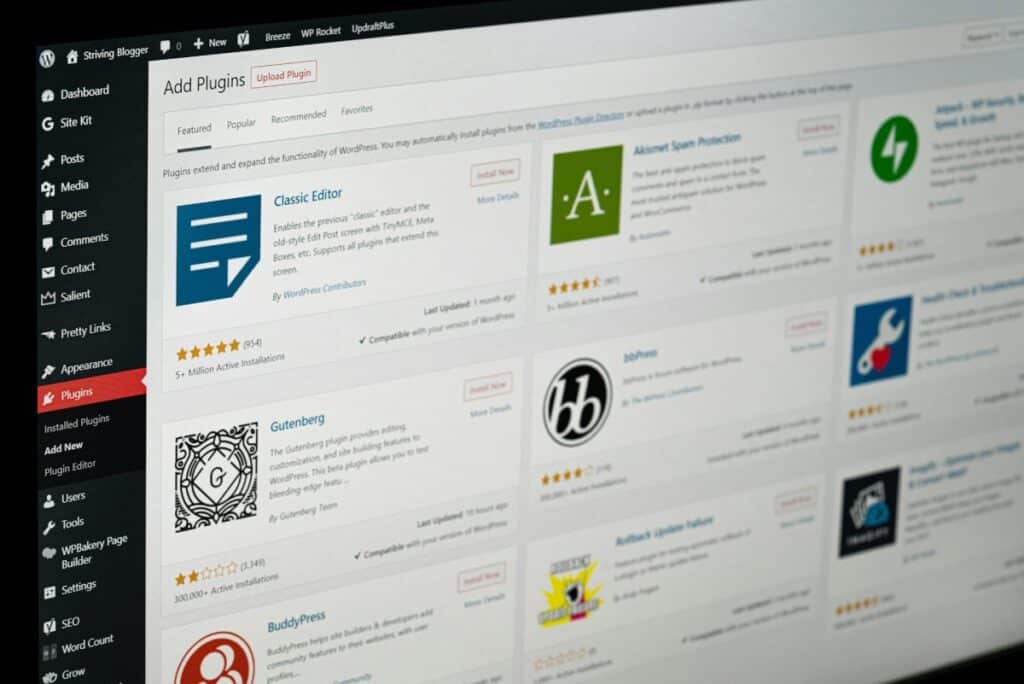
- Massive Plugin Library: There are thousands of plugins available, allowing you to extend your website’s functionality.
CMS vs. WordPress: Key Differences
Credit: hostarmada.com
While CMS is a broad term, WordPress is a specific type of CMS, and that makes the comparison between the two a bit tricky. But here’s a quick breakdown:
WordPress vs Custom CMS
- WordPress is an off-the-shelf solution with pre-built themes and plugins that are easy to use. However, it can be less customizable when compared to a custom CMS.
- A custom CMS allows for more flexibility and tailored solutions. If you have very specific needs or want a unique user experience, a custom CMS might be your best choice.
CMS Customer Management System
A CMS Customer Management System focuses on managing customer interactions, profiles, and data. While WordPress can integrate with customer management plugins, a custom CMS can offer more control over your customer experiences and provide tailored solutions that meet your business’s specific needs.
Custom CMS vs WordPress Development
When it comes to building a site, WordPress offers ease and speed. However, custom CMS development allows you to create a system specifically designed for your brand, which can result in a more seamless and personalized experience.
WordPress Development Company in Dubai
If you’re based in Dubai, you might want to consult a WordPress development company in Dubai like Hashtag Media for building your site. These companies specialize in making the most of WordPress, from custom themes to advanced plugin configurations, providing the perfect mix of flexibility and scalability.
Benefits of a Customized CMS Over WordPress

Credit: makedo.net
The biggest advantage of using a custom CMS over WordPress is that it is specifically tailored to your business. With a custom CMS, you get:
- A unique design
- Increased security
- Faster load times
- Features specifically built for your needs
WordPress Migration Process
Migrating from a CMS to WordPress can be a great choice if you’re looking to improve your website’s functionality. The WordPress migration process involves moving your content, settings, and sometimes even design from an existing CMS to WordPress. It’s crucial to ensure that the migration is done correctly to avoid any data loss or SEO setbacks.
If you’re thinking about CMS to WordPress migration, a professional website development company can help you execute this transition seamlessly.
WordPress Themes vs Custom Themes
While WordPress themes give you a ready-made design, custom themes offer the flexibility to create something unique. If you want your site to stand out, using a custom CMS with a custom theme is a great option. However, WordPress themes offer a cost-effective and quicker way to launch a website, especially for those on a budget.
Ending Remarks
So, which one should you pick? It really comes down to what you need. If you’re after something quick, easy to manage, and full of customization options with plugins, WordPress is your go-to. But if you’ve got a more complex site and need something specifically tailored to your needs, then Custom CMS is definitely the way to go. It’s all about finding what works best for your vision and goals!
FAQ’s
Here’s a look at some frequently asked questions.
What’s the difference between a CMS and WordPress?
A CMS manages content, while WordPress is a popular, flexible CMS known for its ease of use.
Can I switch from a CMS to WordPress?
Yes, you can migrate, but careful planning is needed to avoid data loss or SEO issues.
WordPress theme or custom theme?
Go with a WordPress theme for quick and budget-friendly options, or choose a custom theme for a unique design.
What are the benefits of a custom CMS?
A custom CMS offers more control, better security, and features tailored to your needs.
Is WordPress better than a Custom CMS?
WordPress is great for flexibility, while Custom CMS offers a tailored experience for unique requirements. It all depends on your goals.